

Every order.One till.
Counter, phone, website and table orders in one queue, on a till built for a Friday night. It keeps trading when the internet drops.
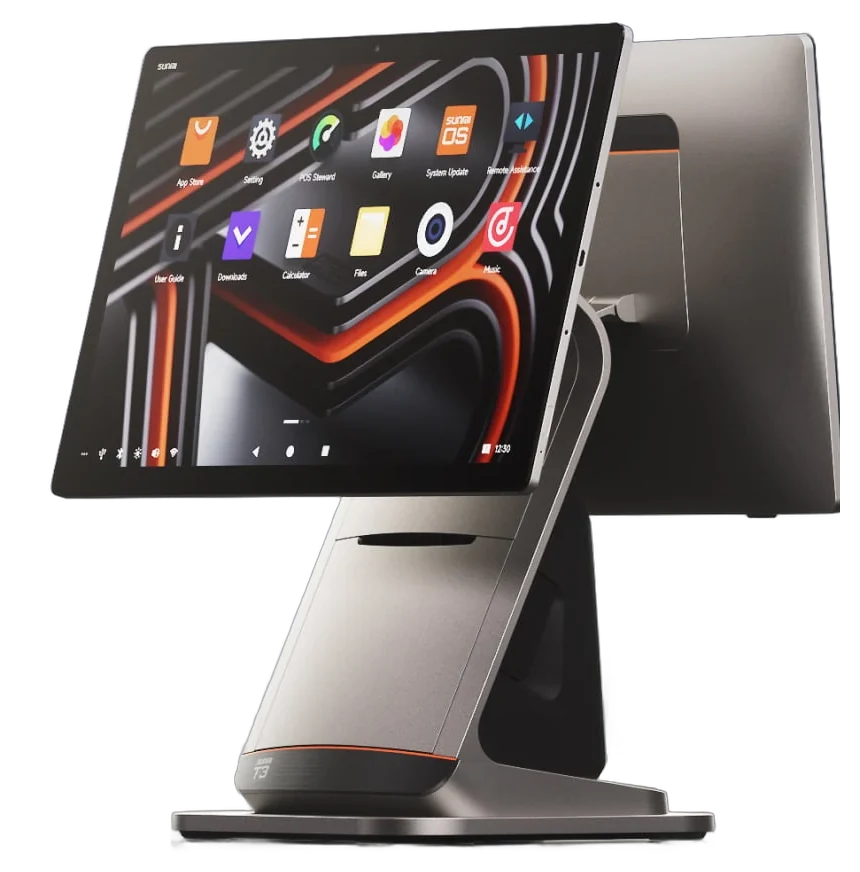
Every screen on this page is the real Manto Till, recorded in use. Shown here on a Sunmi T3 terminal.
Friday, from the first ring to the count.
- 1 of 6 · Ring
The order nobody can miss
A website order takes over the whole screen and keeps ringing until someone accepts it with a time.
- Website, counter, phone and table orders in one queue
- Accept with a prep time in one tap
- Reject with a reason when you have to
- Busy mode adds minutes to every quote, then clears itself
- 2 of 6 · Serve
Rung up in a few taps
Spice, sizes and sides on big tiles. Cash in, change worked out, receipt printed, next customer.
- A favourites bar for what sells every night
- Cash, card or a split of the two
- Park an order and serve the next person
- Collection, delivery, waiting or eat-in
- 3 of 6 · Answer
Phone orders without the notepad
Find the customer by name or number. Their address, their usual and their credit are already on the screen.
- Saved addresses, checked against your delivery zones
- Their usual, reordered in one tap
- Postcode lookup for someone new
- With the caller-ID box, the till shows who is ringing
- 4 of 6 · Cook
The kitchen sees it when you do
Tickets on a screen instead of a spike. Allergens in red, a clock on every order, one tap to bump.
- Bump when it's done; recall it for twenty minutes
- All-day totals: how many of each dish are open
- A cancelled order flashes so nobody cooks it
- Or keep printing to the kitchen as you always have
- 5 of 6 · Run out
Out of lamb? One tap.
Mark a dish sold out and it greys out on your website in seconds. It comes back by itself tomorrow.
- Dishes and individual toppings
- The website and every till follow at once
- Change a price or a photo from the same place
- 6 of 6 · Count
Know what's in the drawer
Cash to count tonight, what the card machine should read, and where every order came from.
- Takings by source and by order type
- Driver cash and best sellers
- Every void and refund, by staff member
- Today, this week or any range; print or share
Proper kit,
not a tablet on a stand.
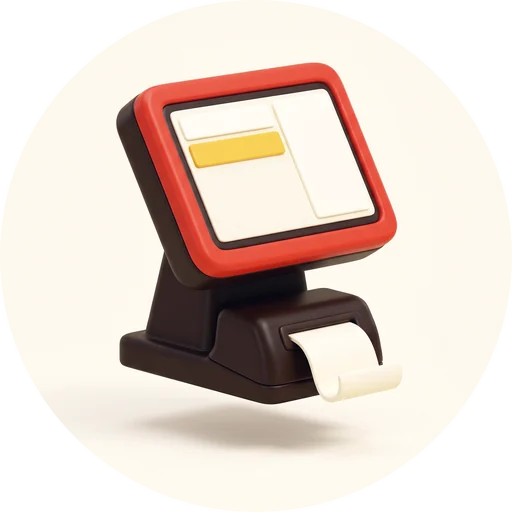
A counter terminal made for a shop: one metal body, a screen that tilts to you or to the customer, and a printer that is part of the till.
One piece of kit on the counter
Screen, stand and printer in a single metal body, with the cables run inside the stand.
The printer lives in the base
Receipts print from the till itself. Drop a roll in from the front: 80 mm or 58 mm paper.
It comes apart to be fixed
The printer unclips as a module, so a fault is a swap at the counter and not a week without a till.
Keep scrolling to take it apart. See all the hardware
Internet down. Lights low.
Still trading.
The wifi drops. The till doesn't.
The menu and the prices live on the till, so counter orders, cash and printing carry on. This order was taken with the internet cut: it is saved on the till and sent once, the moment the connection is back.
Light for lunch, dark for the late shift.
One tap changes the whole till. The new-order alarm is the one thing nobody can turn off.
- Android tablets and phones
- Any browser
- Windows and Linux desktops
- As many devices as you need
Everything it does.
All 73 of them.
01Taking an orderThe counter screen, built to be fast with wet hands.11
- Touch menu gridBig tiles by category, with a favourites bar for what sells every night.
- Search and a quantity keypadFind any dish by name; key in twelve naans in two taps.
- Sizes, options and toppingsSingle choice, multi choice, per-topping quantities and on/off switches.
- Meal-deal builderWalks staff through each part of a deal so nothing is missed.
- Half-and-halfTwo halves on one pizza, priced correctly.
- Notes on any line“No onions” prints on the kitchen ticket, on that dish.
- DiscountsA percentage off a line, or a percentage or amount off the whole order.
- Delivery, collection or waitingOne toggle; delivery charge, service charge and minimum order follow the shop's rules.
- Park an orderHold it under a name, serve the next person, pick it back up.
- Edit after it's placedChange a placed order; the change is marked on it permanently.
- A layout per deviceEach till remembers its own basket position and screen layout.
02One queue for every orderWebsite, app, phone, counter and tables in one list.8
- Every channel, one listEach order carries a badge showing where it came from.
- Accept with a prep timeOne tap on 15, 20, 30 or 45 minutes; the customer is told.
- Busy modeAdd ten, twenty or thirty minutes to every quote. It clears itself.
- Pause orderingStop delivery, collection or everything for tonight, and reopen with a tap.
- Opening hours and holidaysWeekly hours, separate delivery and collection hours, and one-off closures.
- The stages you chooseNew, accepted, cooking, ready, out for delivery, done — switch off the ones you don't use.
- An alarm you cannot missA new order rings at full volume until someone looks. It cannot be muted.
- Past orders by dateAny trading day, searchable from a calendar.
03Phone orders and customersThe till knows your regulars.7
- Customer lookupBy phone number or name, with saved addresses and past orders.
- Their usual, in one tapRepeat a customer's last order without asking them to remember it.
- Postcode lookupType the postcode, pick the street, add the house number.
- Delivery zonesBy postcode, by distance or by named area, each with its own fee and minimum — with a test-an-address tool.
- A live call strip on every tillWho is calling, who picked up, and who is still waiting.
- Caller IDThe caller's name and usual order on screen before you answer.
- Customer bookEvery customer, with notes, order history and a map of where they live.
04Taking paymentFast at the counter, clear at the end of the night.6
- Cash, with change worked outTap the note they hand over; the till shows the change.
- Paid by cardOne tap marks the order paid by card.
- Split cash and cardPart cash, part card on the same order.
- TipsAdd a tip at payment.
- Cancel with a reasonA reason every time, and a manager's PIN above an amount you set.
- Cash drawerOpens from the receipt printer when cash is taken.
05PrintingStraight from the till to the printer. No PC in the back.9
- USB, Bluetooth and network printersStandard receipt printers, including the ones you probably own.
- The terminal's own printerReceipts from the till itself, with nothing else on the counter.
- Kitchen and counter, separatelyA jam on one never stops the other.
- Route by categoryDrinks to the bar printer, food to the kitchen printer.
- Auto-print rulesDecide what prints by itself: online or counter, delivery or collection, receipt or kitchen ticket.
- Your ticket designFont size, columns, copies and your logo, with a live preview.
- Bills and table ticketsA bill for the table; kitchen tickets headed with the table number.
- Reprint and print logReprint anything, and see every ticket that printed or failed.
- Keeps printing offlineThe print queue lives on the till, so tickets carry on without internet.
06Table serviceFor the nights the dining room is full.5
- Areas and tablesOpen a table with the number of covers.
- Rounds from any deviceAny phone or tablet can add a round to a table.
- Order from the table by QRGuests add a round themselves and pay at the counter.
- Split the billBy item or evenly between the guests.
- Move, swap and merge tablesThe order follows the party.
07When the internet dropsIt is built for bad wifi.4
- Counter orders carry onThe menu is on the till and orders are priced on the till, to the penny.
- Nothing is entered twiceOrders taken offline are saved on the till and sent once when the connection returns.
- Kitchen keeps goingTickets print and kitchen-screen taps are held and replayed.
- Honest about what waitsOnline orders arrive when you're back, and splitting a table's bill waits for the connection.
08Menu controlChange it once; every screen follows.4
- Sold outOne tap hides a dish or a topping on the website, the app and every till. It comes back at the next opening.
- Edit prices and items yourselfNames, prices, a separate delivery price, toppings, photos and new items.
- We build the menu for youSend a photo or a link to your current menu; you check it before it goes live.
- Allergens on the ticketThe fourteen allergens are shown to customers and on the kitchen screen.
09Staff and accountabilityKnow who did what.6
- RolesOwner, manager, staff, kitchen and driver, each seeing what they need.
- Operator PINsA quick PIN puts a name on every order: who took it.
- Named terminalsCounter, kitchen and dispatch, each with its own printers.
- Activity feedMenu changes, cancellations, discounts and settings changes, with the name and the time.
- Exceptions reportCancellations, discounts and edits by member of staff.
- Loyalty at the counterCounter orders earn the customer credit back, claimed with a text code.
10ReportsThe night, the way an owner reads it.7
- TakingsCash to count tonight, what the card machine should read, and what came in online.
- Best sellersThe top twenty dishes by number sold and by money.
- DriversDeliveries and cash to hand in, per driver.
- Compare periodsToday, yesterday, this week, last week, this month or any range, against the one before.
- A trading day that suits youIf you close at 3am, the night's takings land on the right day.
- Busy times and trendsA weekly summary, your busiest hours and where orders come from.
- Print or sharePrint the night-end report on the receipt printer or share it from the till.
11Where it runsOne till, on whatever you own.6
- Android tablets and phonesThe same app, laid out for the screen it's on.
- Any browserOpen it on a laptop in the office and see tonight's orders.
- Windows and LinuxA desktop till for a PC behind the counter.
- Unlimited devicesAs many tills, tablets and handsets as the shop needs.
- Updates itselfNew features arrive without a visit.
- Light and darkTwo themes, for a bright counter or a dim kitchen.
Questions owners ask
That is what the till is built around: big targets, no nested menus, and the same few taps for everything. If they can use a phone, they can run a Friday night on it.
One queue, every channel, each order badged with where it came from. The kitchen doesn't care where an order started. It sees the ticket, on paper or on the kitchen screen.
Standard receipt printers over USB, Bluetooth or your network, including the ones you probably already own. Kitchen and counter printers run independently, so one jam never stops the other.
Counter orders, printing and cash carry on, because the menu and the prices live on the till. Everything taken offline is sent once when the connection returns. Website orders arrive when you're back, and splitting a table's bill waits for the connection.
No. The software runs on Android tablets and phones and in any browser, on as many devices as you need. If your current hardware is decent, keep it.
Yes. Contact us with a photo of your menu and we'll load it onto the till before we speak, so you see your own dishes rather than a sample shop's.